-(2).svg)
.svg)

New online customer self-scheduling tool – set to make booking your assessment easier
This tool is an easy and convenient way for you to book and manage your NICEIC assessment(s) at a time that suits you, with full visibility of available slots within your assessment deadline. It’s available 24/7, giving you more flexibility and control.
From March 2026, businesses will be able to book and manage full-day applicant and surveillance assessments online for the following NICEIC electrical schemes:
Approved Contractor Scheme, Domestic Installer Scheme, Rented Sector Scheme and Certifier of Construction Scheme.
You will need
Our online customer self-scheduling tool is quick and easy to use. To book your assessment you will need:
- the assessment invitation email we send you
- internet access (phone, tablet, or computer)
- a debit or credit card (if a fee applies)
Before you begin
View our online customer self-scheduling tool user guide and step-by-step instructions.
Read our assessment guidance to help you feel ready and confident. It explains what to expect and how to prepare.
Quick-start guide
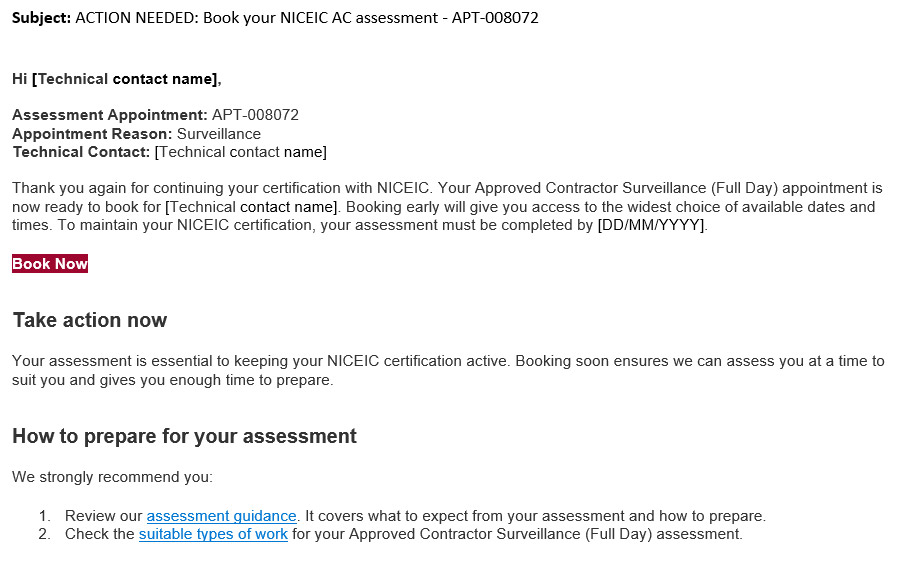
1. Locate your assessment invitation email
Once your scheme application has been validated, or your surveillance assessment is due, we’ll send you an email with a unique link to book your assessment.
Click 'Book now' in the email to access the online customer self-scheduling tool.
To get the best selection of dates for your assessment and avoid missing your certification deadline, we recommend you book as soon as you can after receiving your first invitation email.
Can’t find the email? Check your junk or spam folder. You can also contact us to resend the invite using the details below.
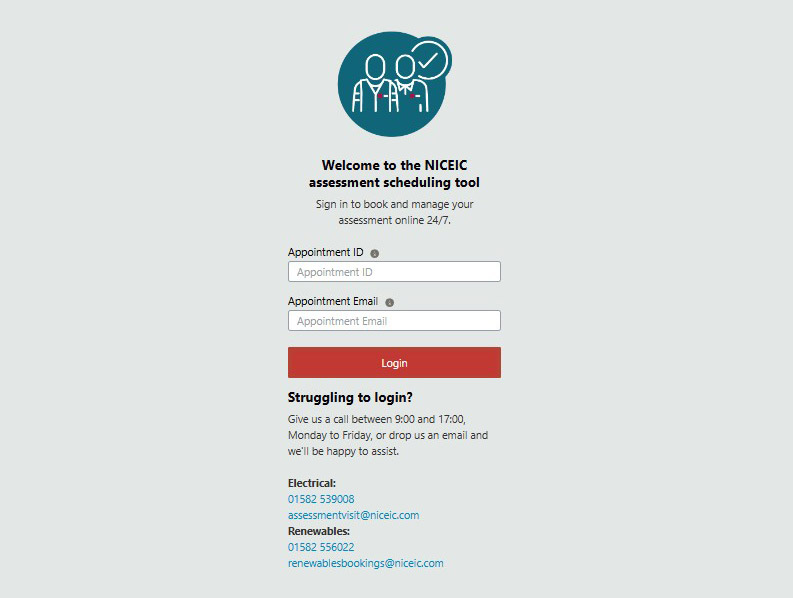
2. Login and review your assessment details
Your appointment ID should auto-populate. If not, you can enter your appointment ID (starting APT-) from your invitation email. The email address will be the same one used to send you the invite.
Once logged in, select the appointment, review your details for accuracy, and read and complete the declarations to progress to the next stage.
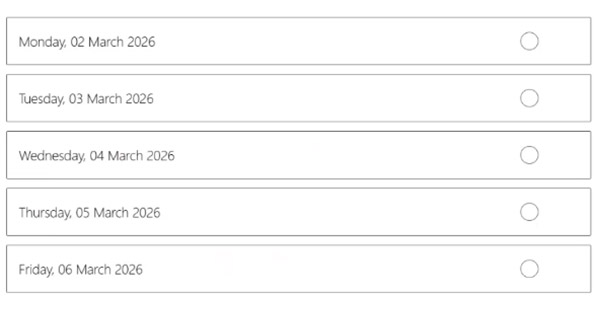
3. Choose a date and make any applicable payments
Select your preferred assessment date from the available options. Unavailable dates will be greyed out.
Any assessment fees will need to be paid up-front when you book – unless you have a Direct Debit or payment terms in place. Supplementary assessment fees will continue to be charged after the event.
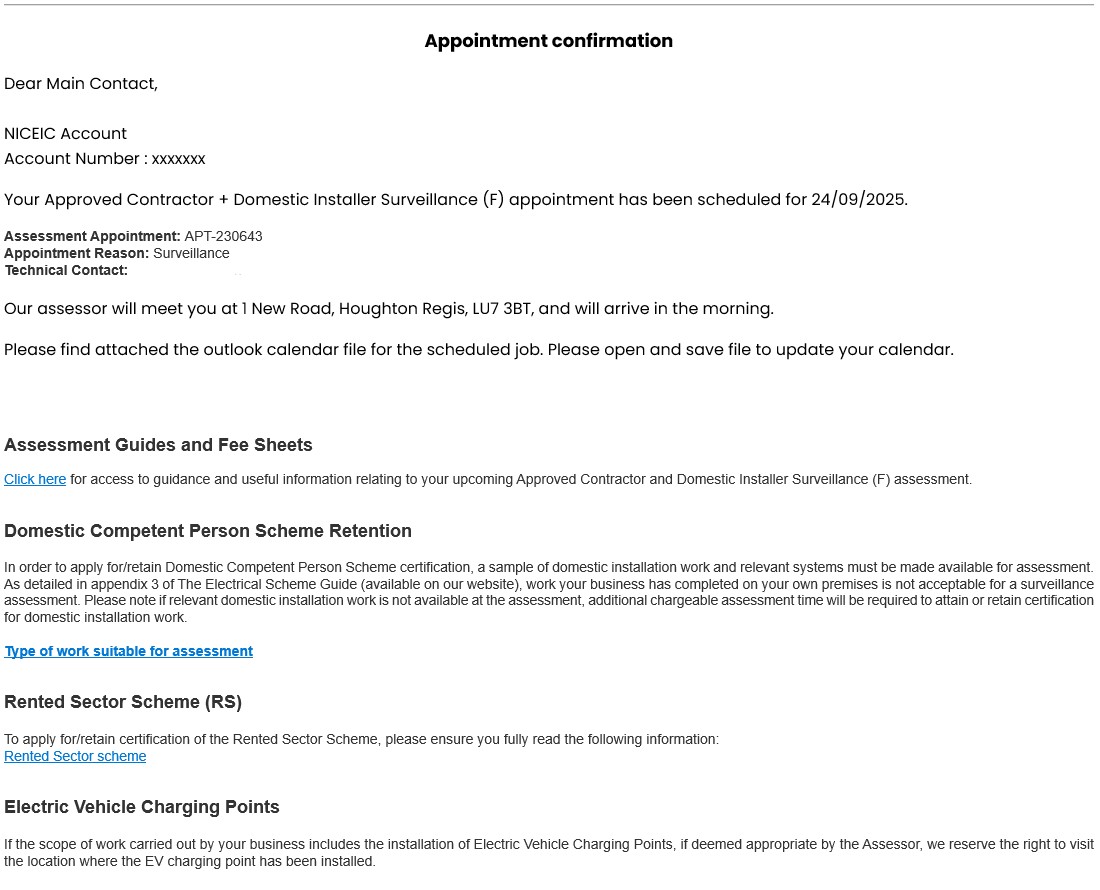
4. Confirmation email
After completing your assessment booking, you’ll receive a confirmation email with the date and time of your assessment, along with the name of your NICEIC assessor and meeting place. Please keep this for future reference.
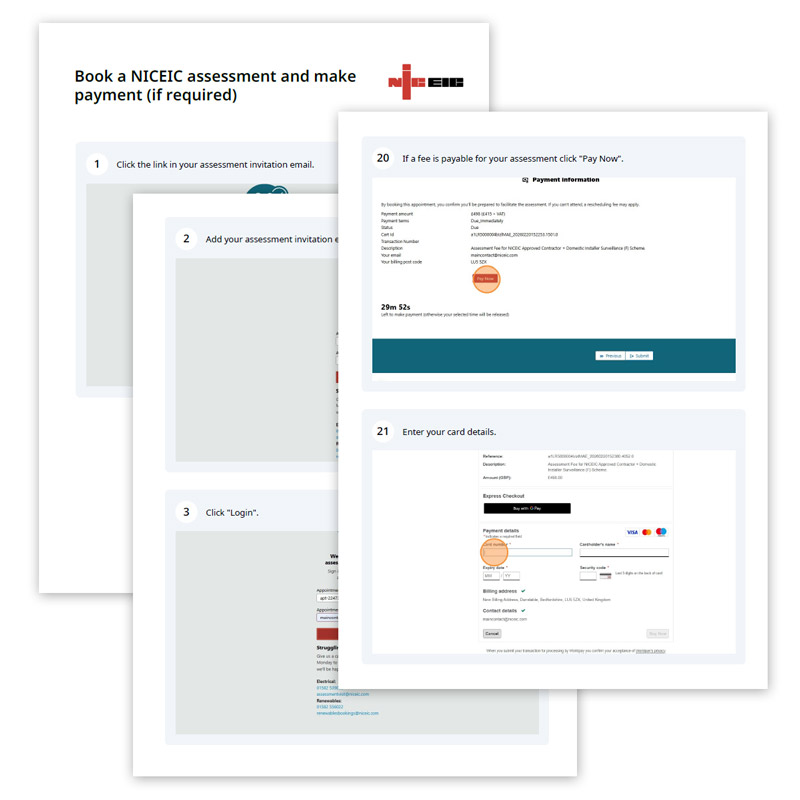
System user guides
View our system user guides, detailing step by step instructions.
How to reschedule an assessment
Rescheduling your assessment
If you need to reschedule your assessment, please log back into the scheduling tool using the unique link in your invitation email, or visit booking.niceic.com.
You will need your appointment ID (starting APT-) and the email address that the invitation email was sent to.
After logging in, follow the on-screen instructions to reschedule your assessment. A new confirmation email will be sent to you with the updated assessment details. For detailed instructions see our system user guide.
Please note that rescheduling within 21 days of your assessment may incur additional fees. See specific scheme fees for more details.
Cancelling your assessment
Should you need to cancel your assessment, please contact us as soon as possible using the details below.
Prefer to book by phone
Booking online provides you with an easy-to-use self-service option at a time that suits you. However, if you prefer to book over the phone or need any help using the tool, our team will be happy to help. Just give us a call Monday to Friday between 9:00 and 17:00.
Electrical: 01582 539 008 | assessmentvisit@niceic.com
Renewables: 01582 556 022 | renewablesbookings@niceic.com
For further information on the assessment process including guidance and checklists, see our assessment page.
Assessment scheduling tool FAQs
How to book an assessment
How to reschedule an assessment
Electrical: 01582 539 008 | assessmentvisit@niceic.com
Renewables: 01582 556 022 | renewablesbookings@niceic.com
Electrical: 01582 539 008 | assessmentvisit@niceic.com
Renewables: 01582 556 022 | renewablesbookings@niceic.com
- Approved Contractor
- Domestic Installer
- Rented Sector
- Certifier of Construction
Electrical: 01582 539 008 | assessmentvisit@niceic.com
Renewables: 01582 556 022 | renewablesbookings@niceic.com
You’ll be shown up to thirty assessment slots, including clearly marked unavailable dates, so you can see availability at a glance. You can enter a preferred date, and the system will show available slots from that date up to your assessment due date.
Appointments can’t be booked beyond your assessment due date.
Electrical: 01582 539 008 | assessmentvisit@niceic.com
Renewables: 01582 556 022 | renewablesbookings@niceic.com
Rescheduling within 21 days of your assessment will incur an additional fee (per half day assessment). Please refer to the relevant scheme fees for more details. If you’re unable to reschedule or attend your assessment, please contact us as soon as possible. We’re open Monday to Friday, 09:00 – 17:00.
Electrical: 01582 539 008 | assessmentvisit@niceic.com
Renewables: 01582 556 022 | renewablesbookings@niceic.com
How to book an assessment
How to reschedule an assessment
Electrical: 01582 539 008 | assessmentvisit@niceic.com
Renewables: 01582 556 022 | renewablesbookings@niceic.com
Electrical: 01582 539 008 | assessmentvisit@niceic.com
Renewables: 01582 556 022 | renewablesbookings@niceic.com